Tracking starts at check-in.
The employee opens the day with one action. Field tracking turns on for that work session, and it ends when they check out.
Field employee attendance and GPS
FieldTrack is the attendance and GPS app for people who work outside the office. Each employee signs in with an ID. Check-in starts tracking. Check-out ends it. Management sees the live map and the attendance report.
 Illustrative product view, based on the FieldTrack walkthrough.
The employee opens the day with one action. Field tracking turns on for that work session, and it ends when they check out.
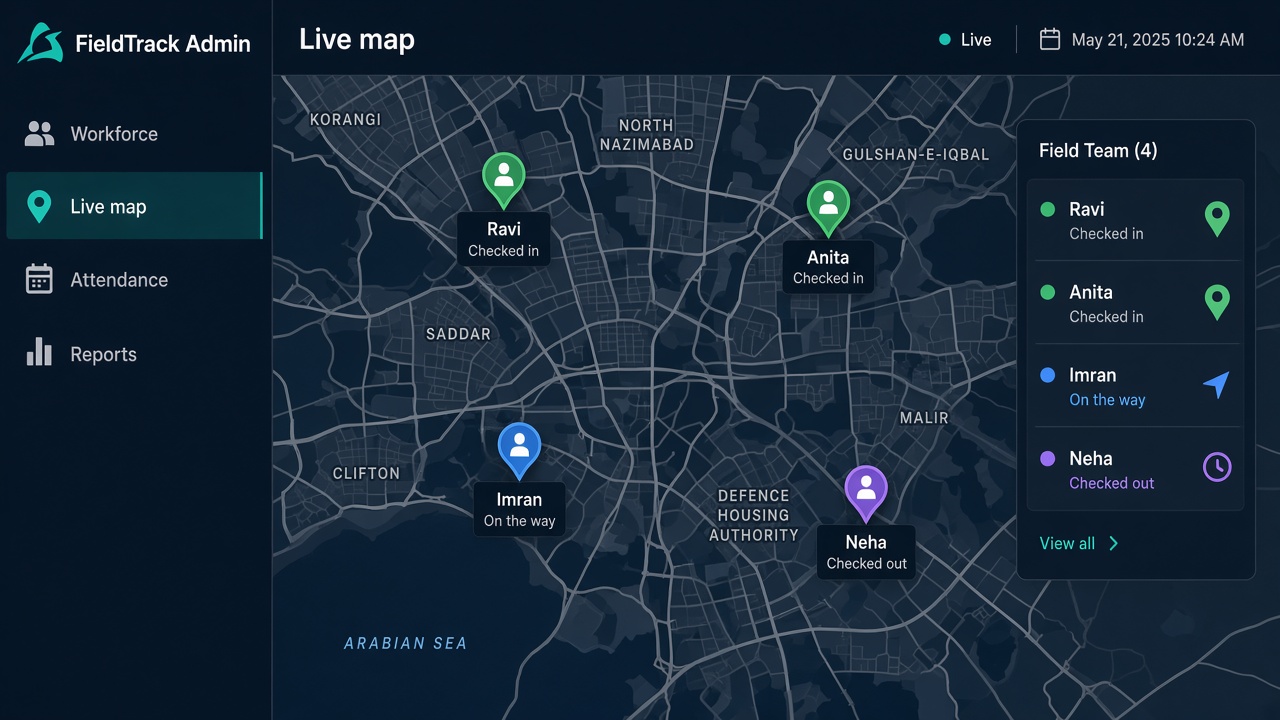
The admin panel shows the field workforce in real time. The office sees who is out, without a round of calls.
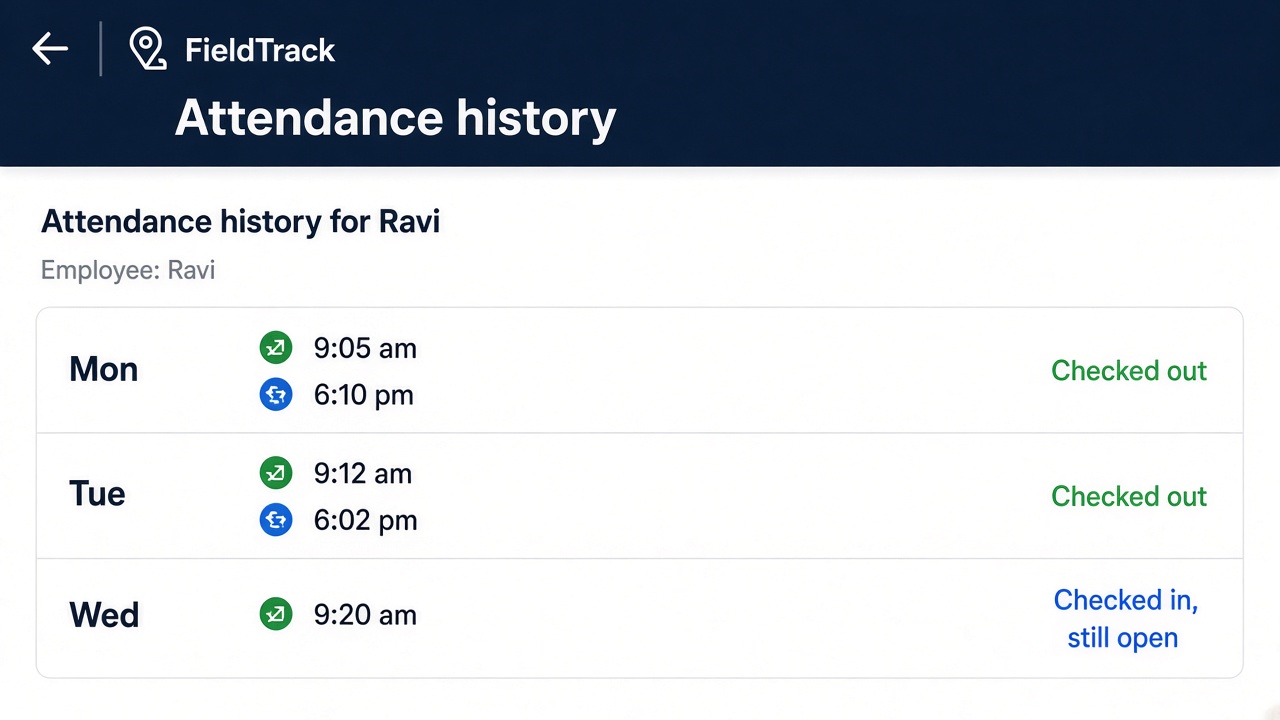
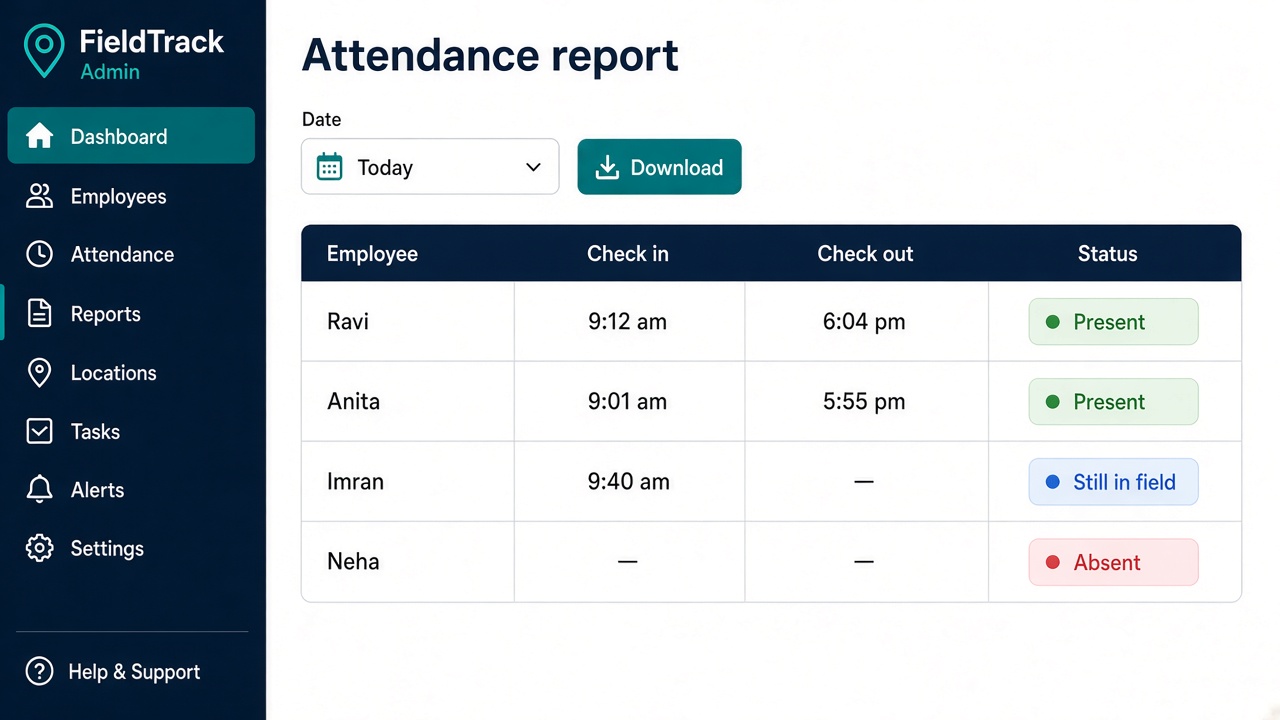
The employee opens their history in the app. Management opens a detailed attendance report from the same day.
One employee, one work session. The office does not rebuild the day in a sheet.
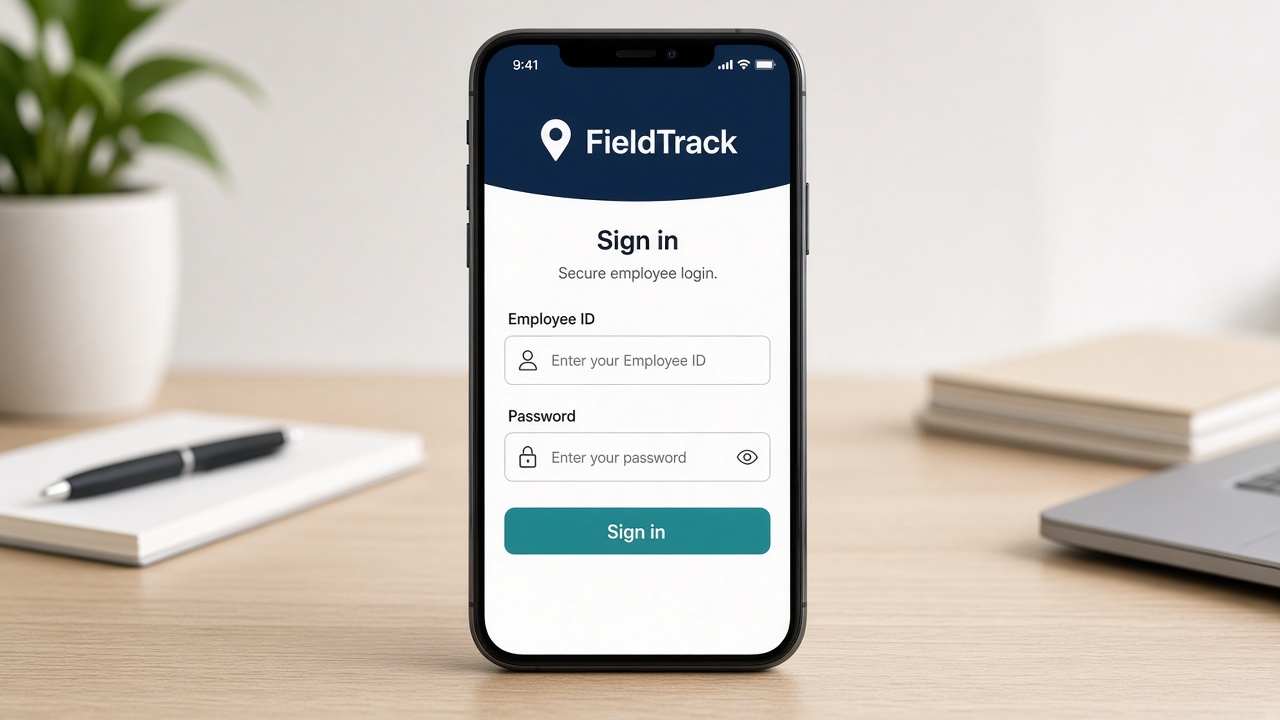
Employee ID and password. Each person has their own login.
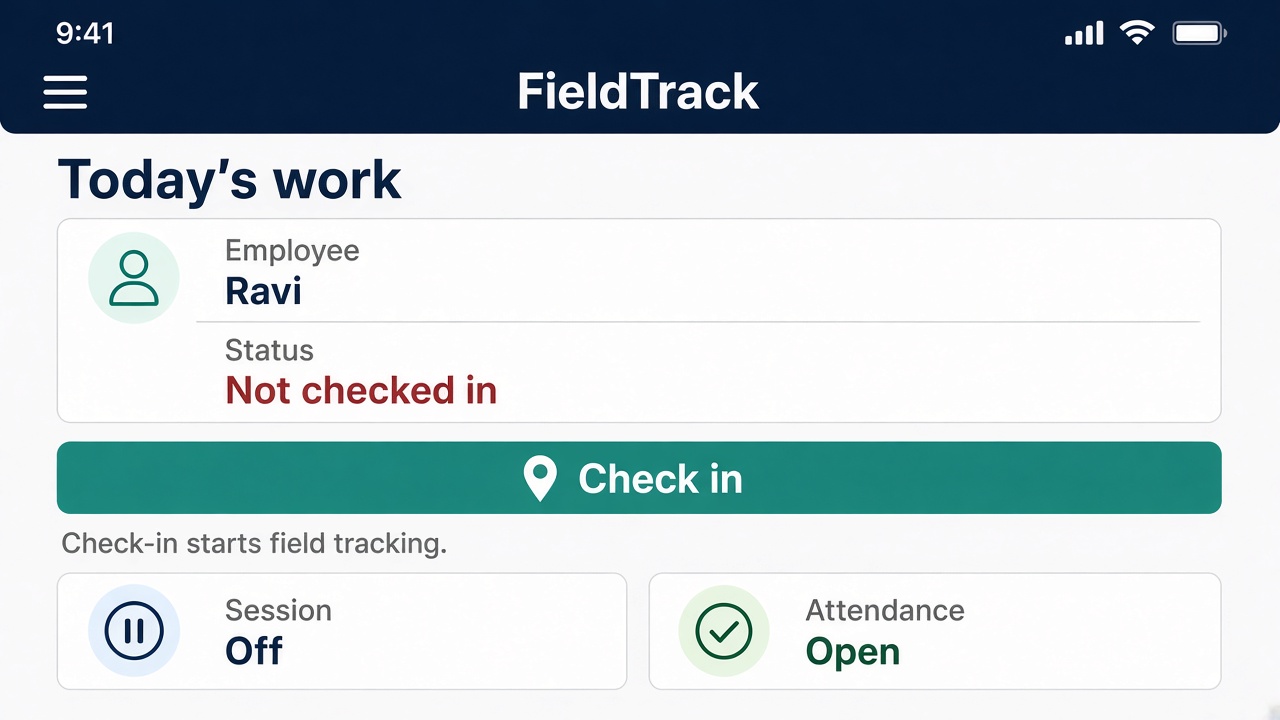
Daily work status, then one check-in.
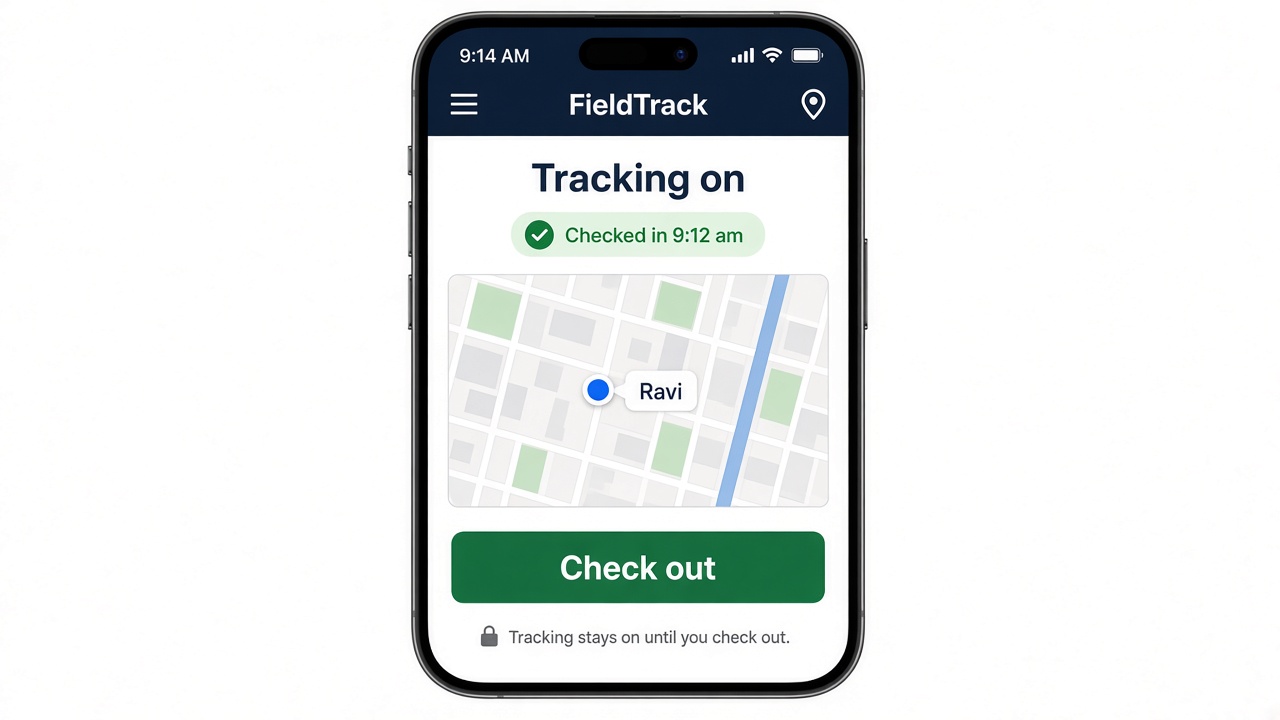
Field tracking stays on for this session.
The session ends. Tracking stops.
History on the phone. The attendance report for management.
An example, so you can see the path. This is not a live employee.
Employee ID and password. The app shows today’s work, still not checked in.
Field tracking turns on. His dot appears for the office.
Management sees the workforce from the admin panel. Ravi does not have to send a location pin.
The session closes. His attendance history shows the in and out. The report shows the same day.
The short shows the employee login, check-in, check-out, attendance history, the admin panel, the live map, and the attendance report.
The phone is for the employee. The admin panel is for management. These views are examples.
A unique employee ID and password. The app opens only for that person.
Today’s work is on the screen. One check-in starts field tracking.
The session stays on. Check-out ends tracking for the day.
Management sees the field workforce in real time. Checked in, on the way, or checked out.
The employee opens past days in the app. Check-in, check-out, and a session that is still open.
The admin report for the day. Present, still in the field, or absent. Download it from the panel.
Tell us how many people work in the field. We will walk you through FieldTrack on the same number.
Each field executive signs in with an employee ID and password.
The day opens and closes from the phone. Tracking follows that session.
Location tracking turns on after check-in and stops at check-out.
The employee can open their own record in the app.
Management runs the field workforce from one panel.
A real-time map of the team, and a detailed attendance report.
After the employee checks in. The app shows the day’s status first. Check-in is the action that turns tracking on.
When the employee checks out. That closes the work session.
Management, from the admin panel. It is a real-time view of the field workforce.
Yes. Attendance history is in the mobile app, with check-in and check-out for past days.
It is not a visit diary or a billing app. FieldTrack is attendance and GPS tracking for the field workforce: login, check-in, tracking, check-out, the map, and the report.
Message us and we will walk you through FieldTrack.
